Archive reports and messages

Archive reports and messages

The ability to archive messages and reports is another Gold club feature.

Gold Club

This feature allows you to archive any report or message, which has not been deleted. The number of archived reports and messages is unlimited.

How to archive a report or message?

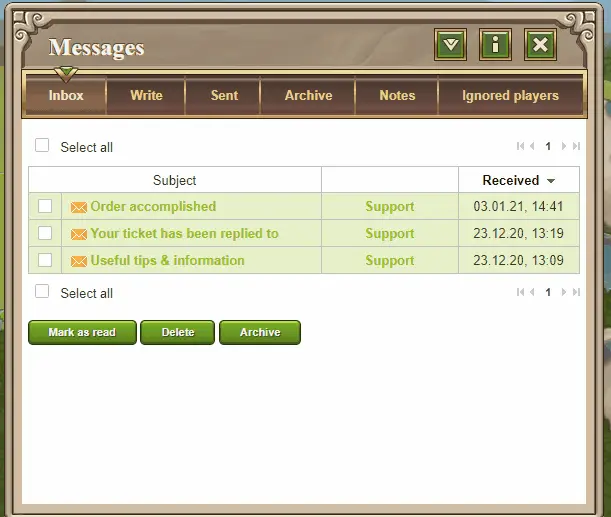
Go to the respective overview. In the list of reports/messages, pick the desired one by ticking the empty box at the start of the row. When you have ticked them, scroll the page down and click the “Archive” button. 

You will then be able to find these reports/messages under the “Archive” tab.
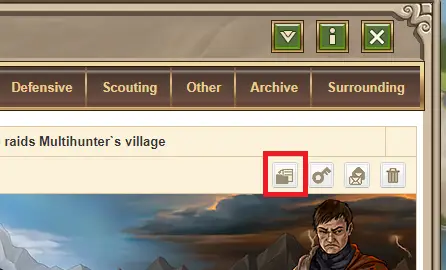
You can also archive directly from the report itself by selecting the archive button.
Similar Posts

  • Starvation Mechanics

    Starvation Mechanics All troops (including the hero) eat crops from the village’s granary. Crop management is key to preventing starvation. Crop is also needed by the buildings of the village (the village population). While buildings do not suffer if you don’t have enough crop, lacking production limit what you can build. See more about this…

  • Village list groups

    Village list groups Village list groups feature allow you to freely group villages on the list into sections, for better overview. This feature is only available on some gameworlds The editable quicklinks are only available on gameworlds starting on 8.01.2025 and later. Creating groups Click the folder icon next to the village groups count to…

  • Finish constructions and research orders

    You can instantly finish construction and research queues using gold When construction is already started or when the research is already in process, a gold button appears. To instantly finish press the “complete construction immediately” button. A confirmation window will open and after confirming, all running constructions together with all research in the village are…

  • Developing resource villages – condensed guide

    Posted on June 8, 2023by Ameno Developing resource villages is an important part and investment into your resource well-being and army growth. We already tackled the topic in one of the previous guides. However, recently we received a request from alliance leaders to make separate short and condensed guide about it that they can share with the…

  • Game versions and speed

    Travian: Legends is available in multiple flavours. While the core game mechanics are similar, the differences add up to a completely distinct gameplay experience. Regions Gameworlds are grouped into 5 regions: However, there are no geographical limits, anyone can play in any region they want. Each region has gameworlds of various speed and versions. All…

  • Special Servers – Watchtowers

    Special Servers – Watchtowers Prerequisites: Any type of wall, can only be built in cities (available only in Annual Specials) Special Servers – Cities Watchtowers are an improvement of walls. They provide a defensive bonus for defenders, similar to walls. They can only be built in cities. Watchtowers are not separate buildings, they are an improvement of…